Your side hustle tax, sorted before 31 January.
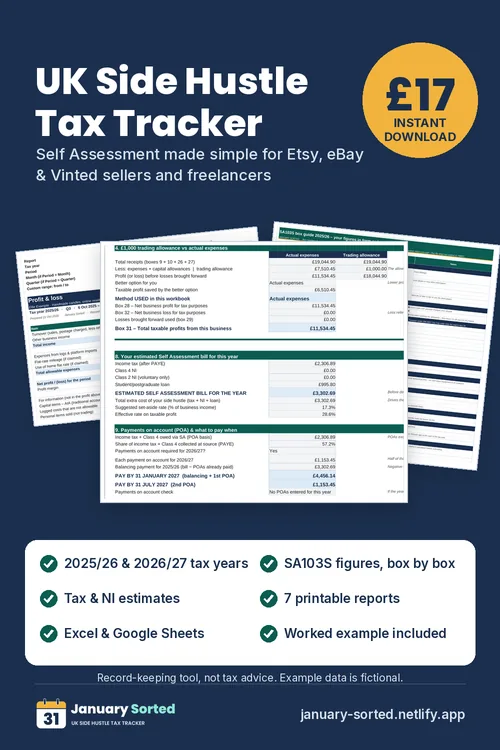
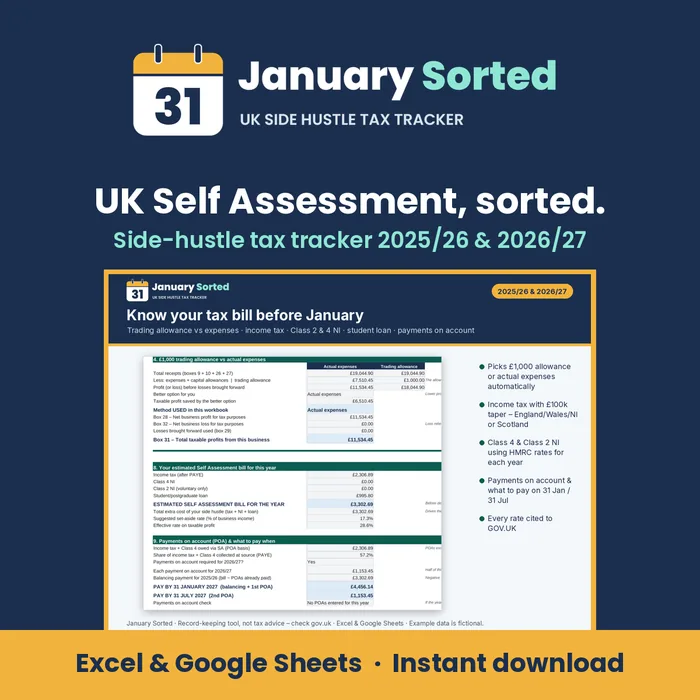
The UK Self Assessment tracker for Etsy, eBay and Vinted sellers, crafters and freelancers. Log sales and costs – see your tax bill, what to pay and when, and the exact SA103S figures to type into your online return.
- £1,000 trading allowance vs expenses – picked for you
- Income tax, Class 2 & 4 NI, student loan & payments on account
- SA103S figures in online-form order + 7 printable reports
Use code JANUARY20 at checkout for 20% off – £13.60 until 31 Dec 2026
£17 incl. VAT · one-off payment · instant download · Excel & Google Sheets · worked example included
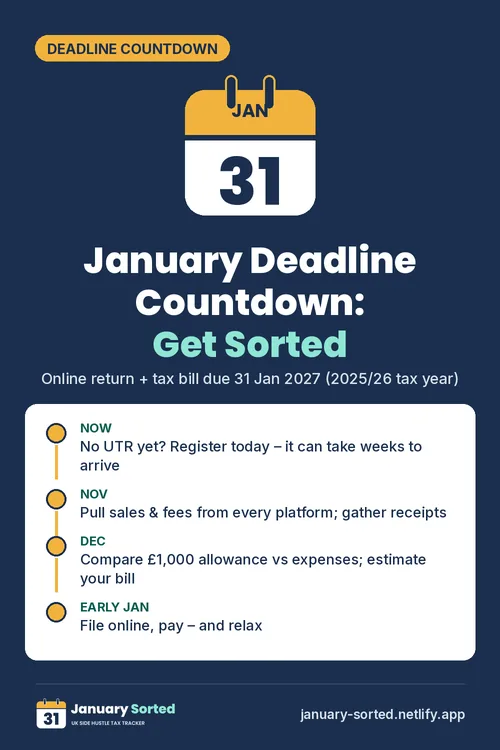
Time left to file & pay your 2025/26 Self Assessment
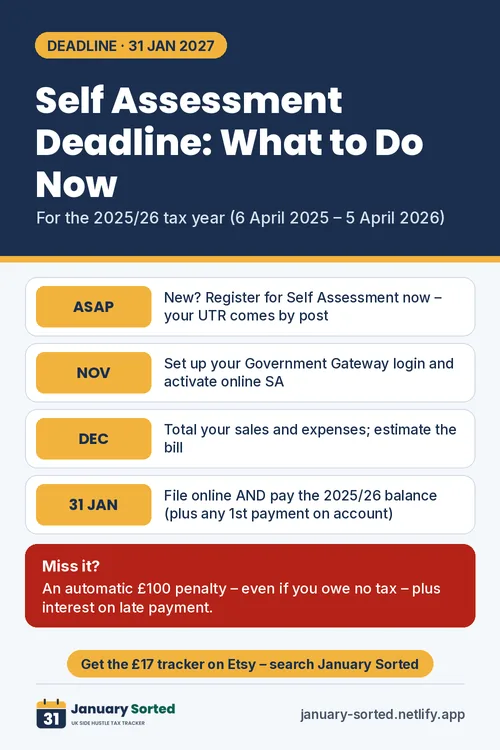
Deadline: 31 January 2027 (online return + balancing payment). Miss it and HMRC charges an automatic £100 penalty. Read the deadline guide →
See January Sorted in action
A quick tour: log income, compare the trading allowance, get your tax estimate and SA103S figures.
Everything a side hustle needs for Self Assessment
Built around HMRC’s rules for 2025/26 and 2026/27, with every rate cited to GOV.UK.
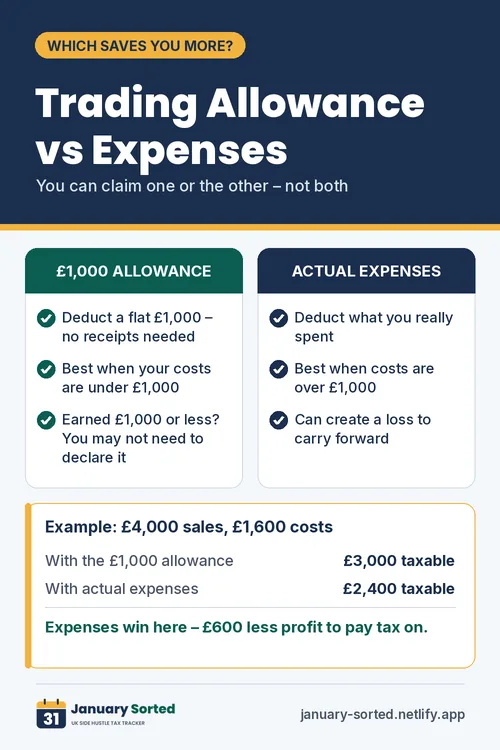
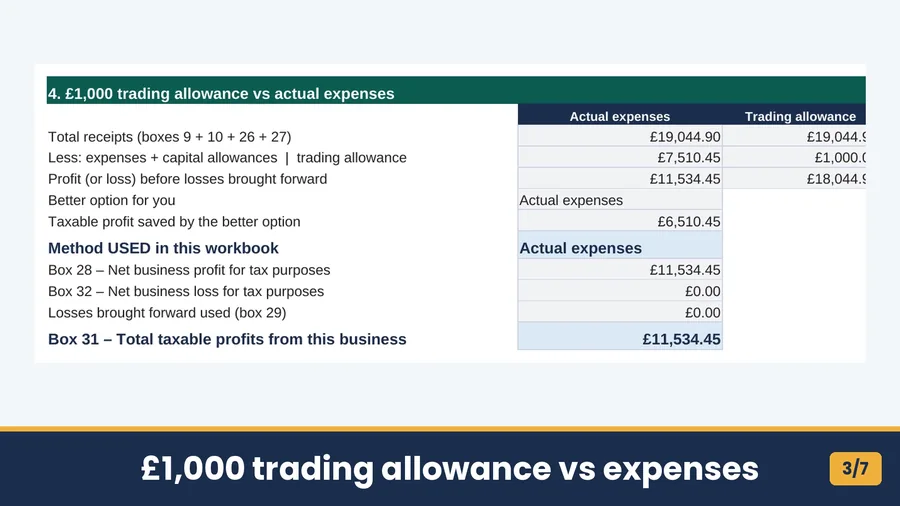
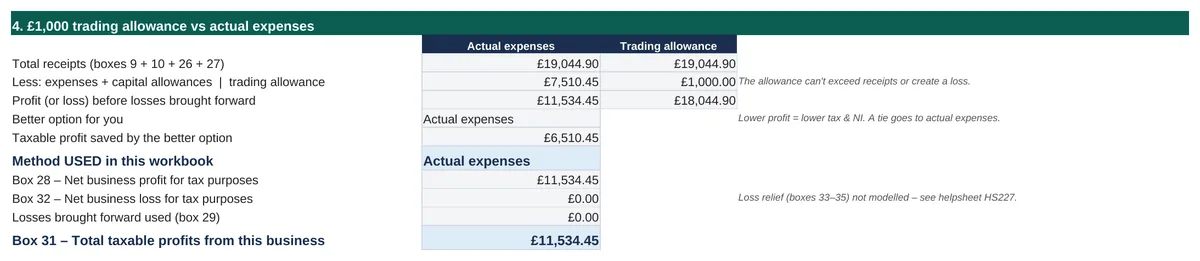
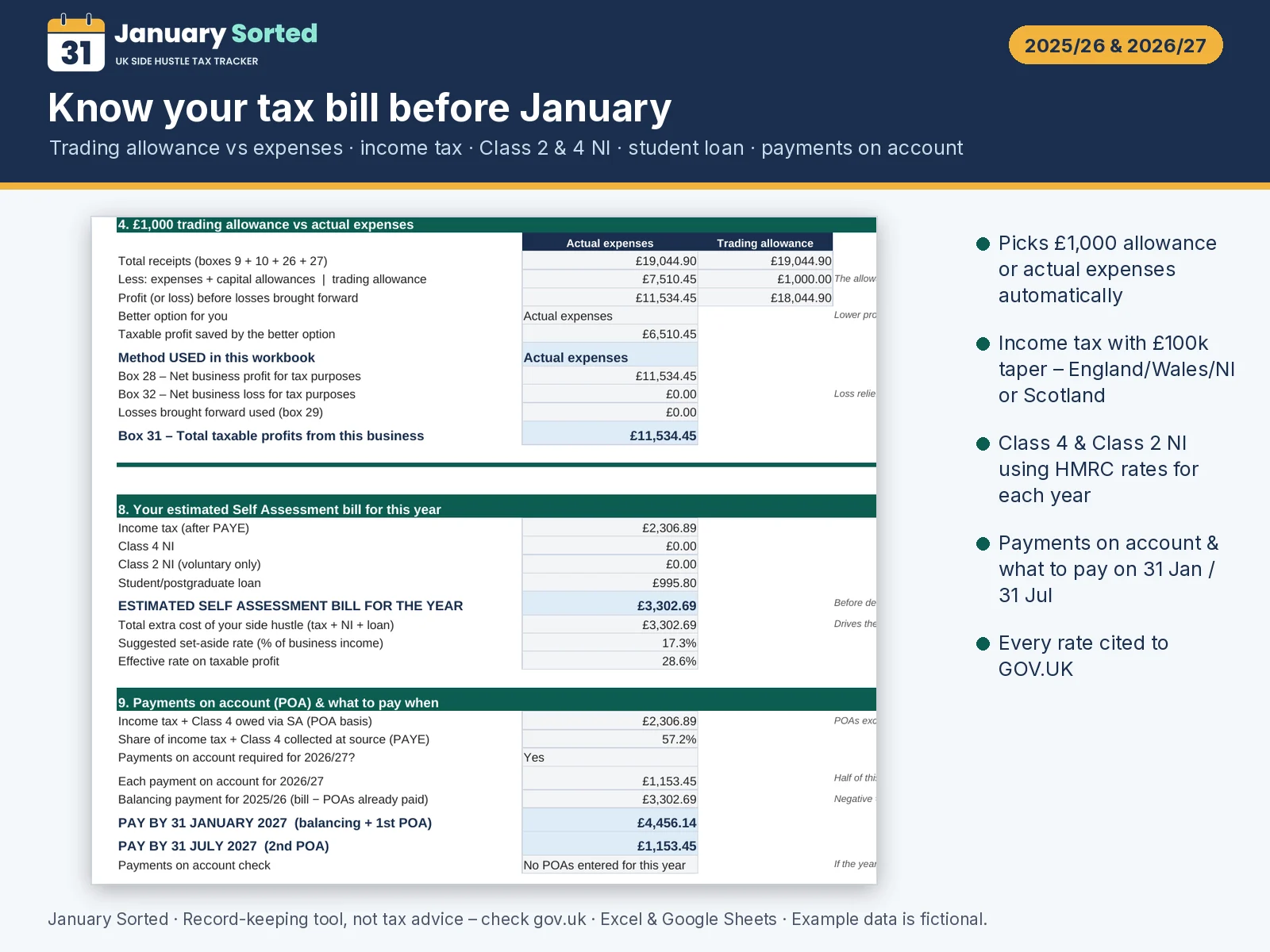
Trading allowance vs expenses
The £1,000 allowance is compared with your real costs and the cheaper tax option is chosen for you.
Tax, NI & student loan estimate
Income tax (incl. Scotland), Class 4 and Class 2 NI and student loan repayments for each tax year.
Know what to pay & when
Payments on account and your 31 January and 31 July amounts, plus a deadline calendar.
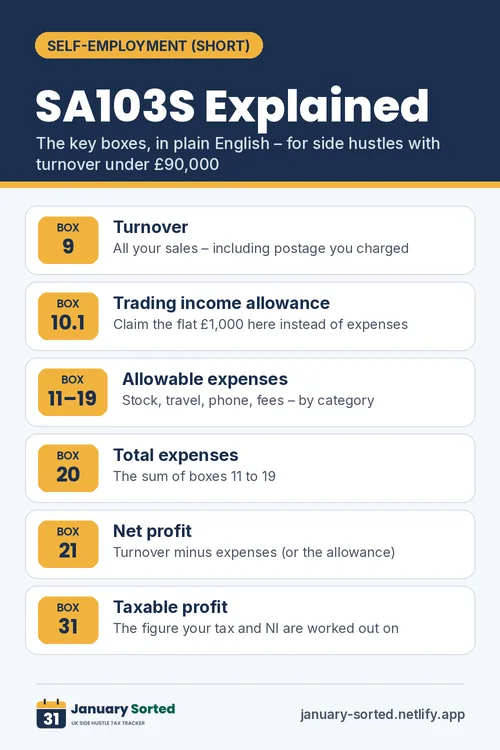
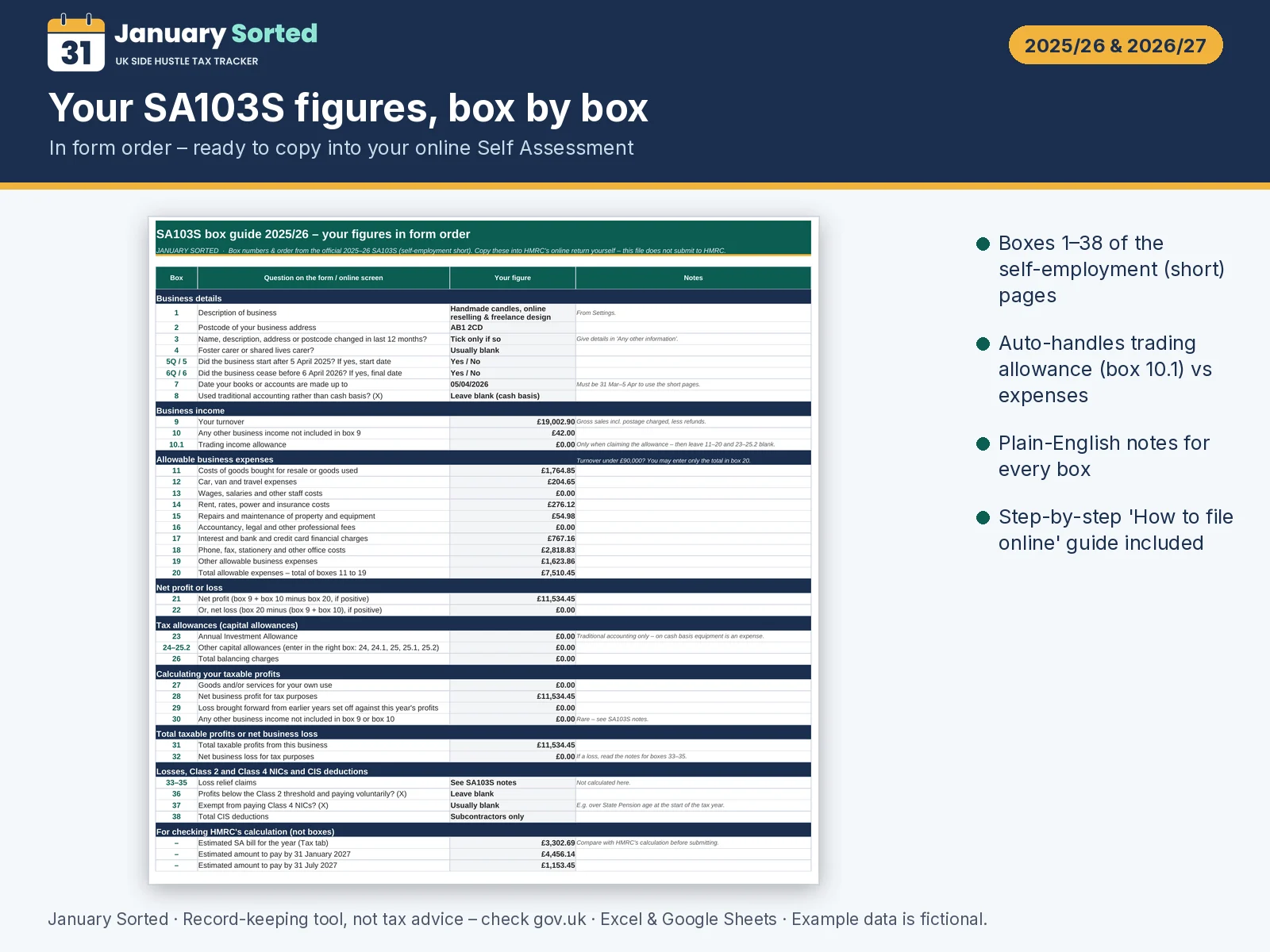
SA103S box-by-box
Your figures in the same order as the online self-employment pages, with box numbers.
Platform import
Type monthly totals from Etsy, eBay, Vinted, Depop and more instead of logging every sale.
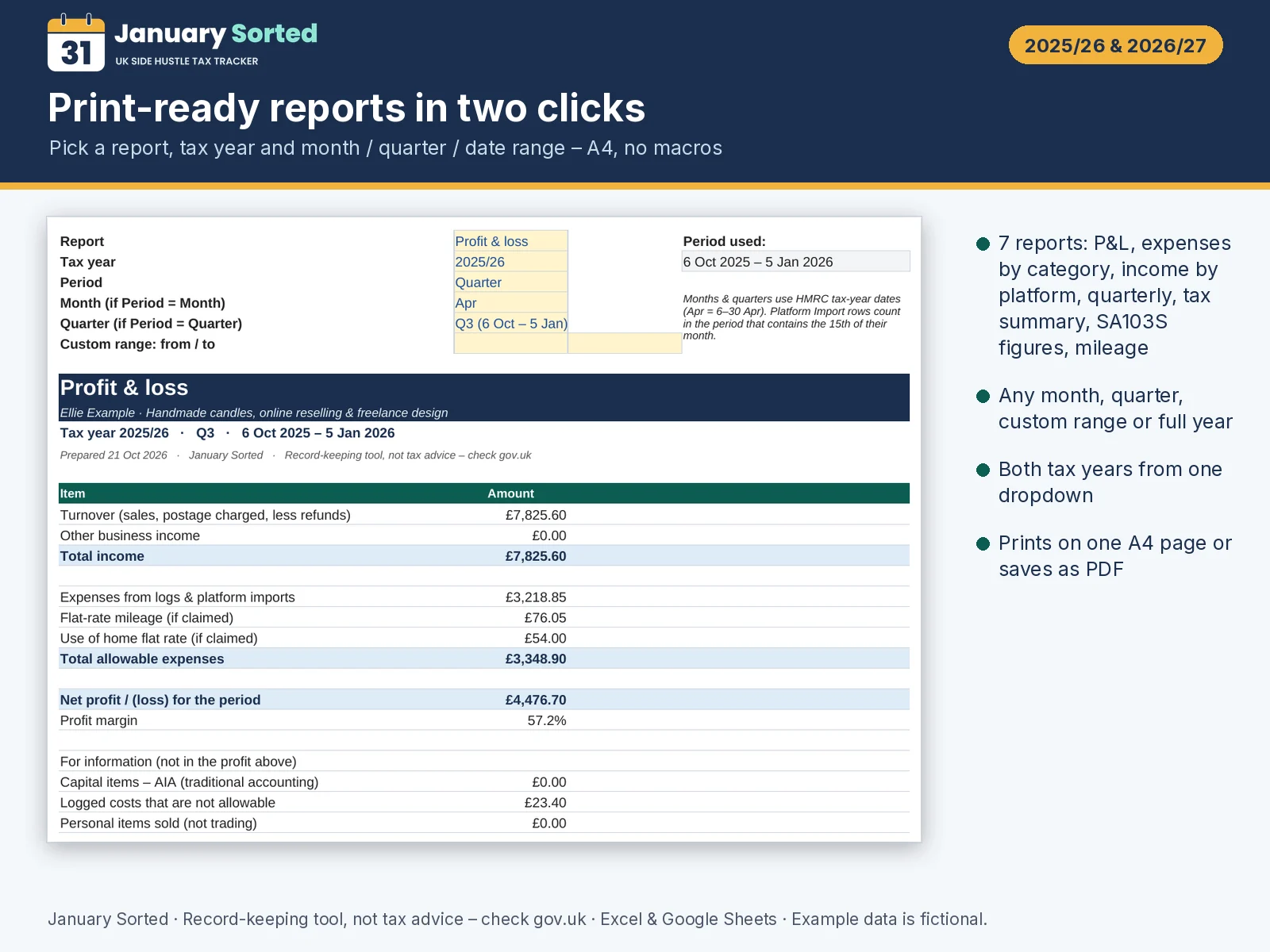
Printable reports
P&L, expenses by category, income by platform, quarterly, tax summary, SA103S and mileage – A4, any period.
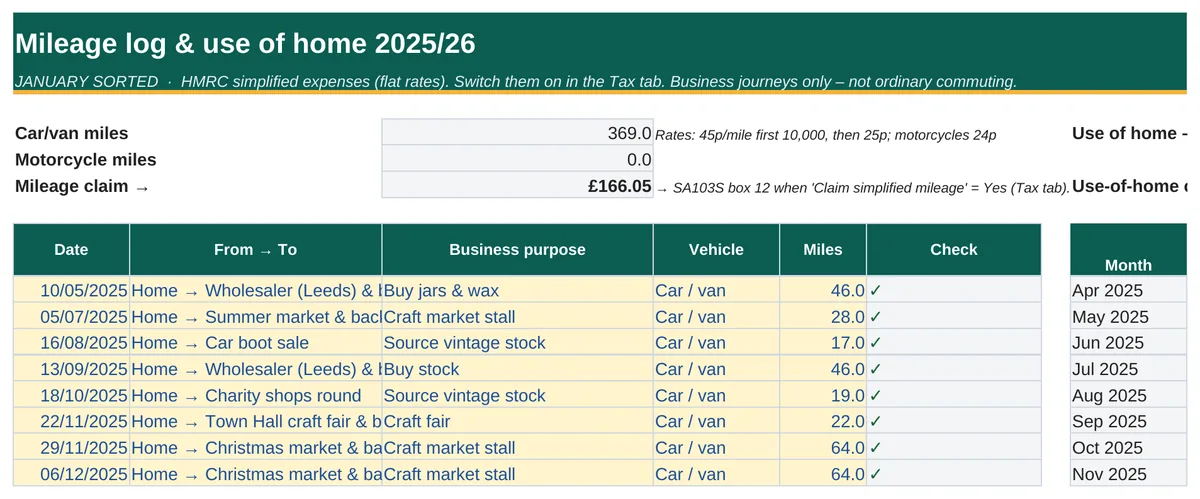
Mileage & home
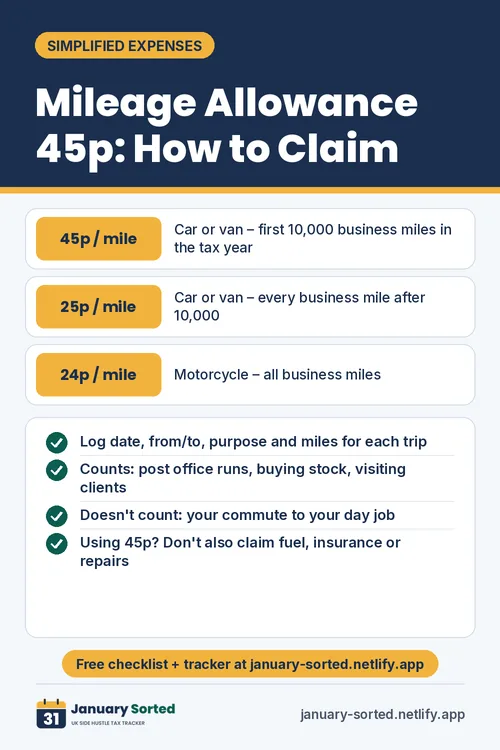
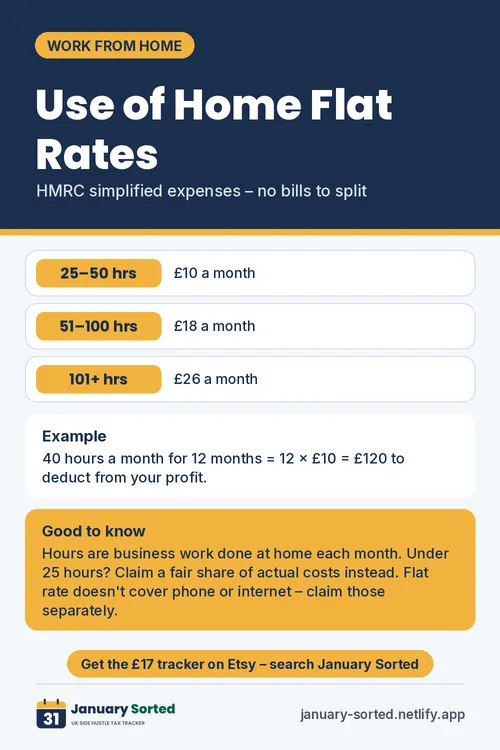
HMRC simplified expenses: 45p/55p and 25p mileage rates and use-of-home flat rates.
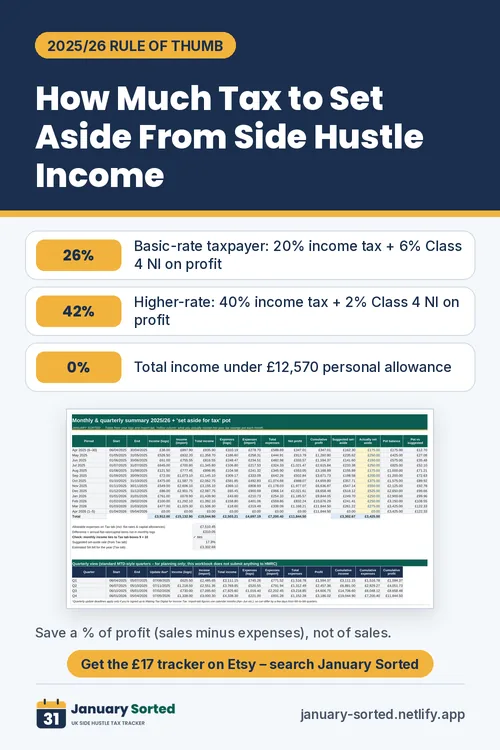
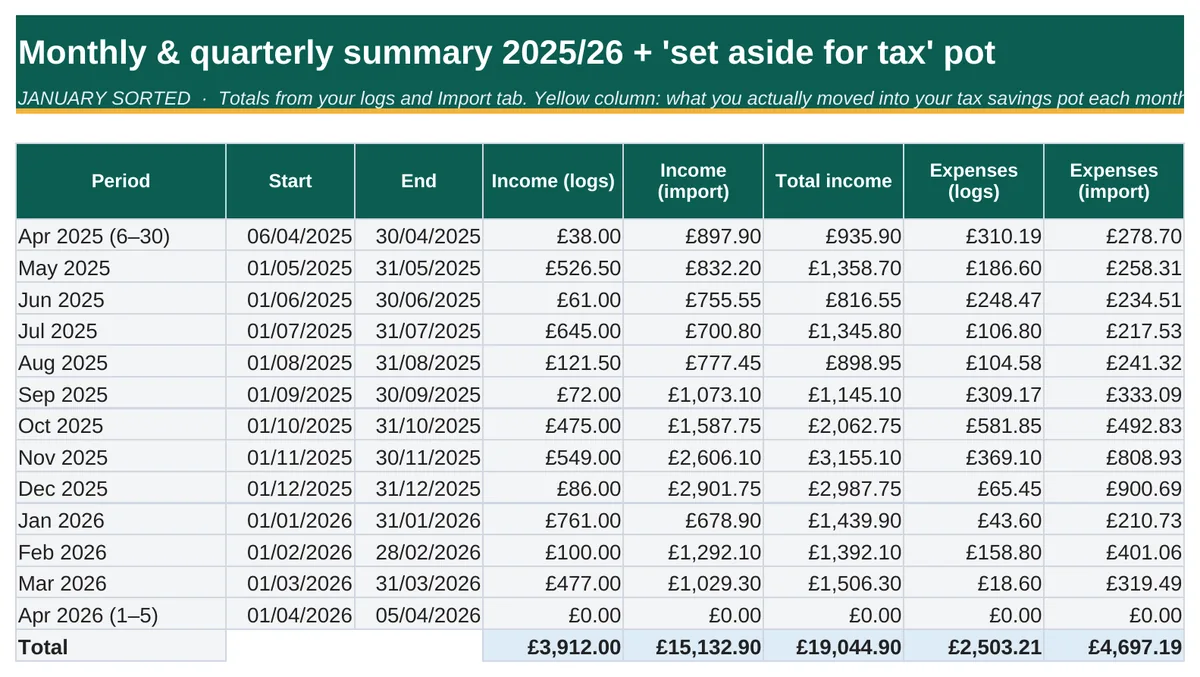
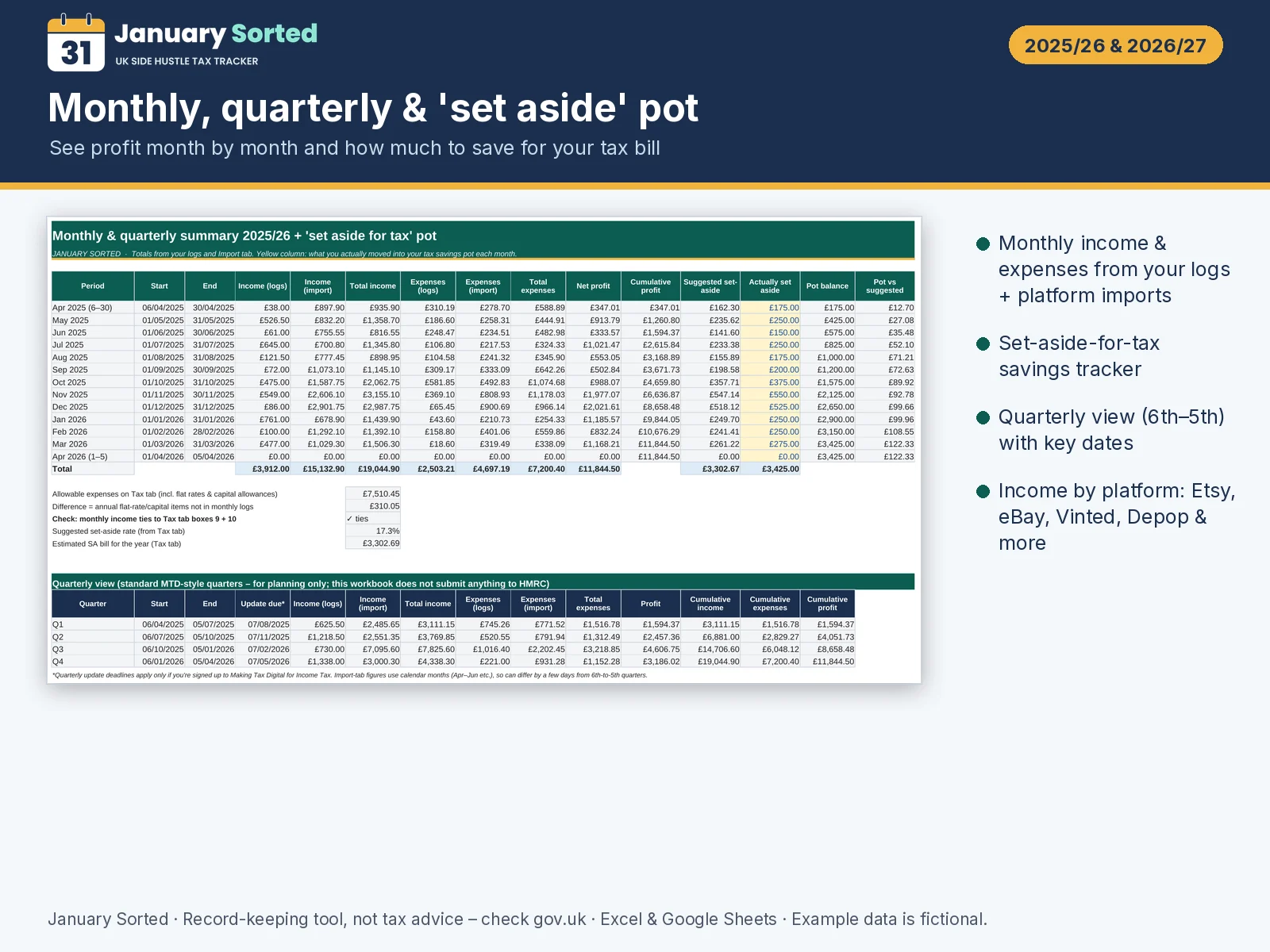
Set-aside pot
Monthly ‘set aside for tax’ tracker so January isn’t a shock.
Evidence checklist & QA
What records to keep, plus live checks that your totals tie together.
How it works
From download to filed return in five steps.
- Buy & downloadPay £17 securely with Stripe (or use JANUARY20). Your download page opens straight away.
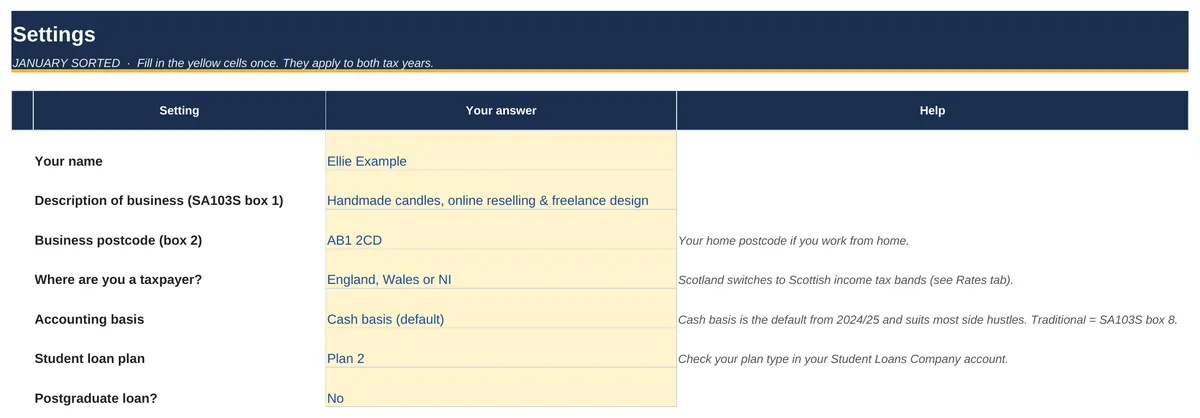
- Open in Excel or SheetsStart Here tab walks you through settings in about 10 minutes. Yellow cells = you type.
- Log income & costsAdd sales, platform totals, expenses, mileage and home hours as you go.
- See your taxAllowance vs expenses, tax, NI, student loan and payments on account – calculated live.
- File onlineCopy the SA103S figures, box by box, into your HMRC online account before 31 January.
Look inside the spreadsheet
Real screenshots from the worked example file (made-up data).
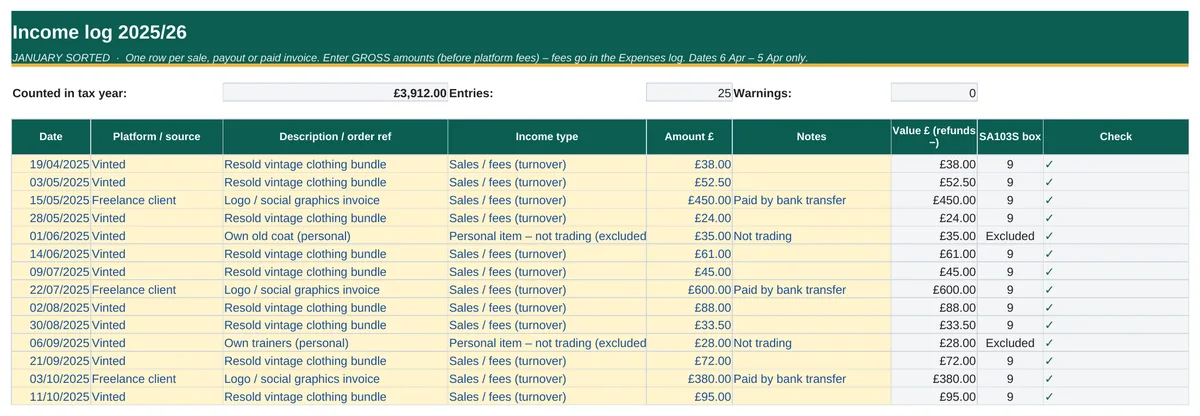
Log every sale in seconds
Gross income by date, platform and tax year – fees go in expenses, so your figures match HMRC’s rules.
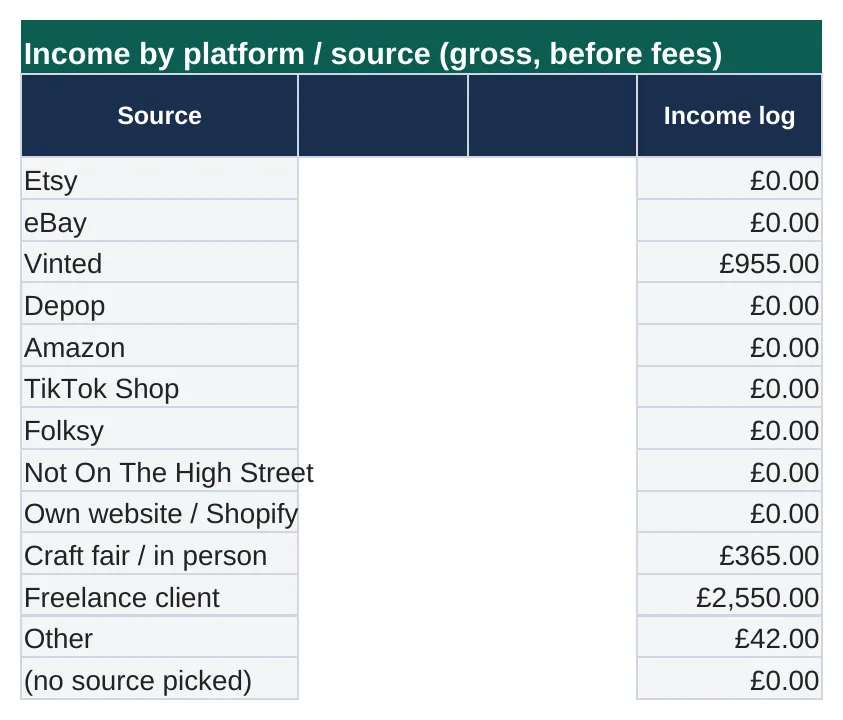
Platform totals import
Prefer monthly totals? Type them from Etsy, eBay, Vinted, Depop and more on the Import tab.
Trading allowance vs expenses
The £1,000 trading allowance is compared with your actual costs, and the cheaper option is used automatically.
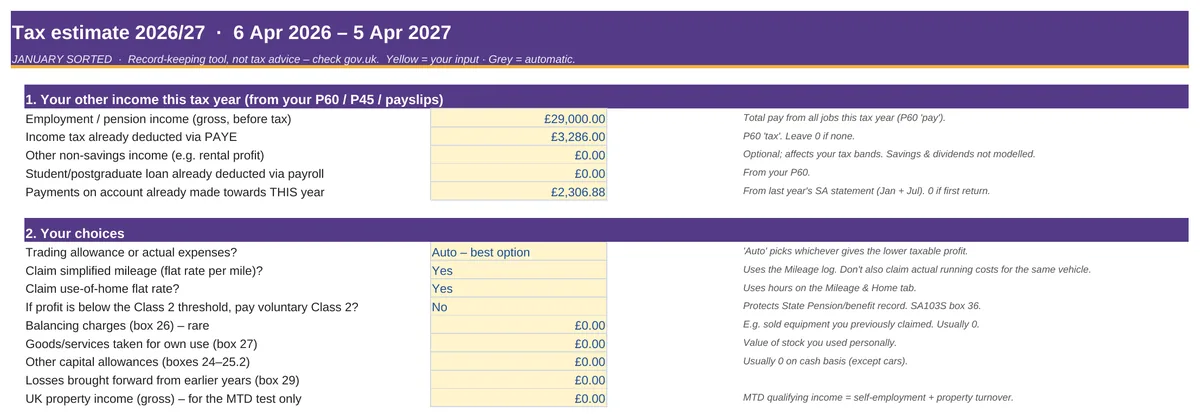
Your tax estimate
Income tax (England/Wales/NI or Scotland), Class 2 & 4 NI – including your PAYE job income.

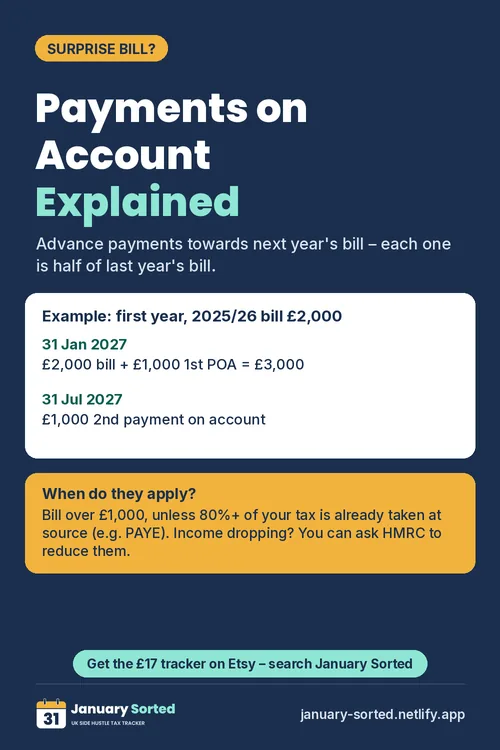
Payments on account explained
What to pay on 31 January and 31 July, with HMRC’s 80% and £1,000 rules built in.

Student & postgraduate loans
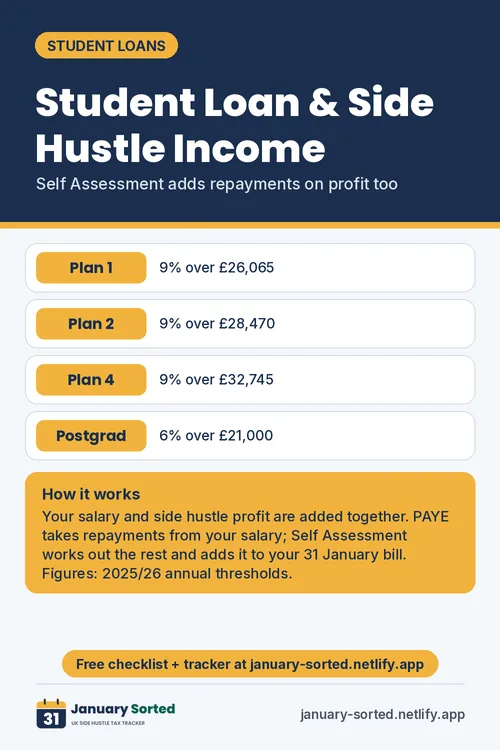
Plans 1, 2, 4, 5 and postgraduate repayments added to your Self Assessment bill.
Mileage & use of home
HMRC simplified expenses: 45p/25p mileage with the 10,000-mile split and use-of-home flat rates.
Monthly set-aside pot
See month by month how much to put aside so January isn’t a shock.
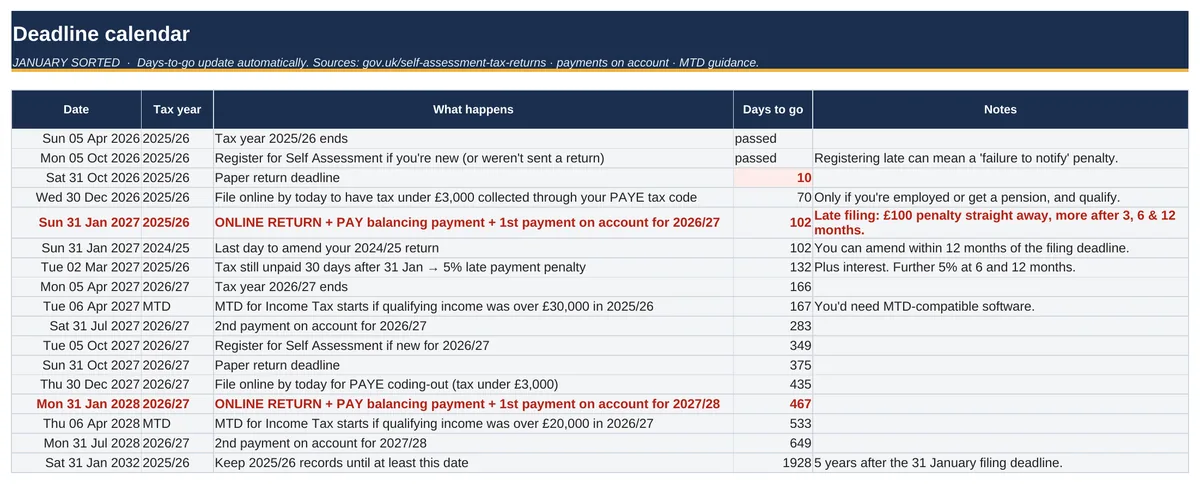
Deadline calendar
Every key date for both tax years in one place.
Two tax years in one file
2025/26 and 2026/27, each with that year’s HMRC rates and GOV.UK sources.
Who it’s for
UK sole traders with a side hustle – including people with a PAYE job.
Etsy & craft sellers
Candles, prints, jewellery, digital downloads.
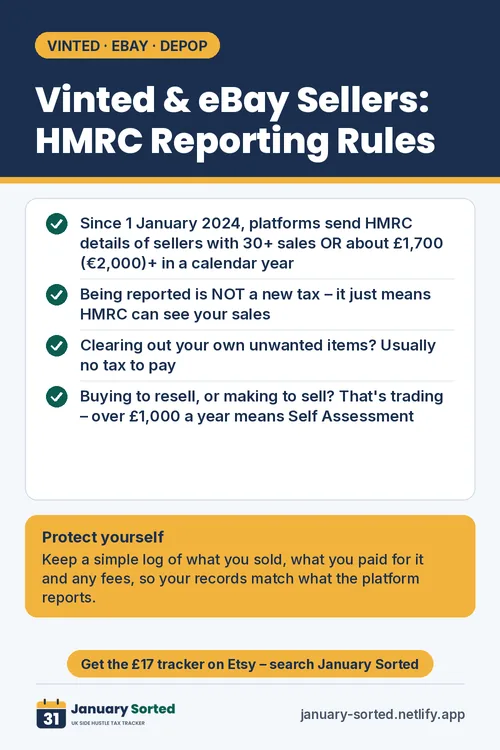
Vinted, eBay & Depop resellers
Buying to sell on? That’s trading – track it properly.
Freelancers & creators
Design, writing, tutoring, content – alongside a day job.
Students & graduates
Student loan plans calculated on your side income.
Scottish taxpayers
Scotland’s six income tax bands supported.
First-time filers
Plain-English guidance and a fully worked example.
Not designed for partnerships, limited companies, VAT-registered businesses or turnover of £90,000+.
How it compares
January Sorted vs a typical UK self-employed tracker template.
| Feature | January Sorted | Typical tracker |
|---|---|---|
| Tax years covered | 2025/26 and 2026/27 in one file | Usually one year |
| £1,000 trading allowance vs actual expenses | Compared automatically – picks the better option | Often a note, or not covered |
| Income tax estimate (incl. £100k Personal Allowance taper) | Yes – England, Wales & NI or Scotland's six bands | Often a flat % guess |
| Class 4 & Class 2 National Insurance | Yes, using each year's HMRC rates | Sometimes |
| Student / postgraduate loan repayments | Plans 1, 2, 4, 5 & postgraduate | Rarely |
| Payments on account & what to pay on 31 Jan / 31 Jul | Yes, with the 80% / £1,000 rules | Rarely |
| SA103S figures in online-form order with box numbers | Yes – copy-ready, plus a ‘how to file online’ guide | Category totals only |
| Mileage & use-of-home flat rates | Yes – 10,000-mile split handled | Sometimes |
| Platform totals import (Etsy, eBay, Vinted…) | Yes – type monthly totals | Manual entry |
| Printable A4 reports (any month, quarter or date range) | 7 reports, no macros | Rarely |
| Every rate cited to GOV.UK | Yes – Rates tab with sources | Rarely |
| Fully worked example file | Yes | Sometimes |
| Works in Excel and Google Sheets | Yes | Usually |
“Typical tracker” describes common features of UK spreadsheet templates we reviewed in October 2026; individual products vary.
Learn from a fully worked example
Meet Ellie Example (made-up data): she sells handmade candles on Etsy, resells on Vinted, does some freelance design and has a £28,000 PAYE job with a Plan 2 student loan. Her file shows every tab filled in – so you can see exactly what goes where.
Figures from the example file, cross-checked against an independent calculation.

Get January Sorted
- Blank tracker for 2025/26 & 2026/27
- Fully worked example file
- Getting-started PDF guide
- Excel & Google Sheets · no macros
Code JANUARY20 = 20% off (£13.60) until 31 Dec 2026
Secure checkout by Stripe. Download link straight after payment.
Buy now – £17Free Self Assessment guides
Plain-English and GOV.UK-checked.
Free: UK Self Assessment Checklist 2025/26
A 3-page, GOV.UK-checked checklist of every date, document and decision for your 31 January 2027 return. Free by email.
Questions
Does it work in Excel and Google Sheets?
Yes. It’s a standard .xlsx file built with ordinary formulas – no macros, no add-ins. In Google Sheets use File › Import (or upload to Drive and ‘Save as Google Sheets’). Excel’s cell locking doesn’t carry over to Sheets; you can re-add protection via Data › Protect sheets and ranges.
Which tax years does it cover?
Two: 2025/26 (6 April 2025 – 5 April 2026, online return and payment due 31 January 2027) and 2026/27 (due 31 January 2028). Rates for both years were checked on GOV.UK on 21 October 2026 and are listed with sources in the Rates tab.
Who is it for?
UK sole traders with a side hustle – online sellers, crafters, resellers and freelancers – including people who also have a PAYE job. It isn’t designed for partnerships, limited companies, VAT-registered businesses or turnover of £90,000+.
Is this tax advice?
No. January Sorted is a record-keeping and estimating tool, not tax advice. Figures are estimates based on the information you enter and the published rates; HMRC’s own calculation is final. If your situation is complex, speak to an accountant or HMRC, and always check GOV.UK.
Does it submit my return to HMRC? Is it MTD software?
No. It does not connect to or submit anything to HMRC, and it is not Making Tax Digital (MTD) compatible software. It gives you your figures in the order of the online self-employment pages so you can type them into your own HMRC online account. If MTD for Income Tax applies to you, you’ll need HMRC-recognised software – the tracker flags if your income is near the thresholds.
What do I get?
- The blank tracker (.xlsx) for 2025/26 and 2026/27
- A fully worked example file with made-up data
- A short getting-started guide
You’ll get a download link straight after payment.
What’s your refund policy?
Because January Sorted is a digital download supplied immediately, we don’t offer refunds for change of mind. At checkout you expressly ask for immediate access and acknowledge that you lose your 14-day cancellation right once the download is made available (Consumer Contracts Regulations 2013).
This doesn’t affect your statutory rights. If the files are faulty or not as described, contact us at samfisher@mobmodz.com and we’ll repair or replace them; if we can’t fix the problem within a reasonable time, you’re entitled to a refund (Consumer Rights Act 2015).
How do I get help?
Email us at samfisher@mobmodz.com – we aim to reply within 2 working days.
Do I need to know spreadsheets?
No. Yellow cells are where you type; everything grey is automatic. The Start Here tab walks you through it in about 10 minutes.
Important: January Sorted is a record-keeping tool, not tax advice; check GOV.UK. It does not submit to HMRC and is not MTD software. Not affiliated with HMRC.
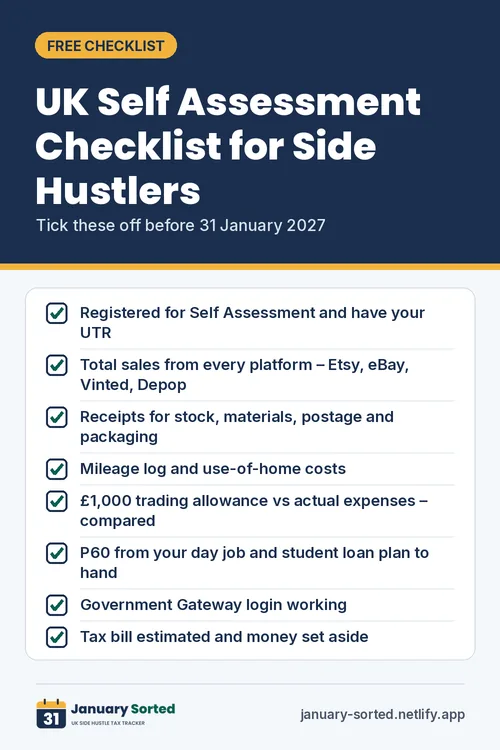
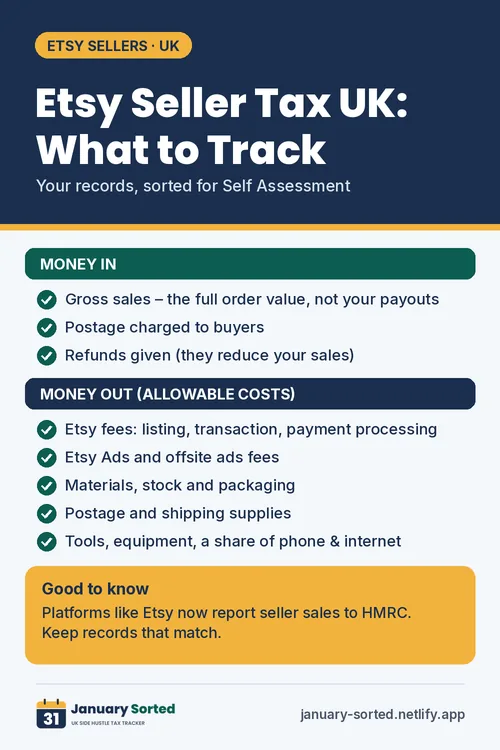
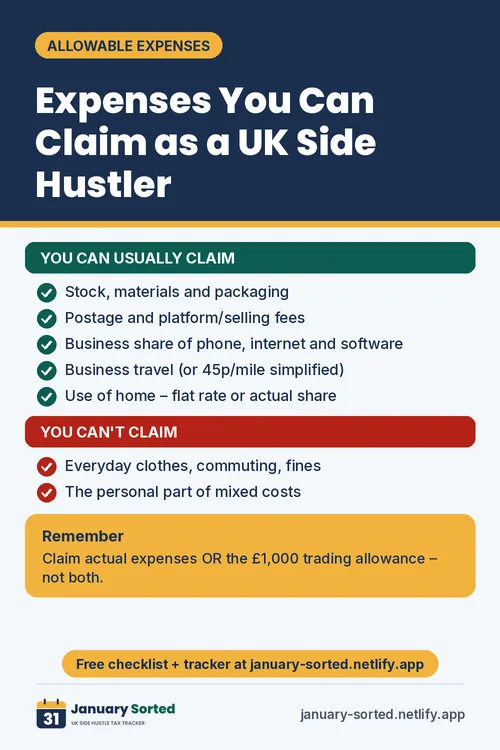
Side hustle tax tips
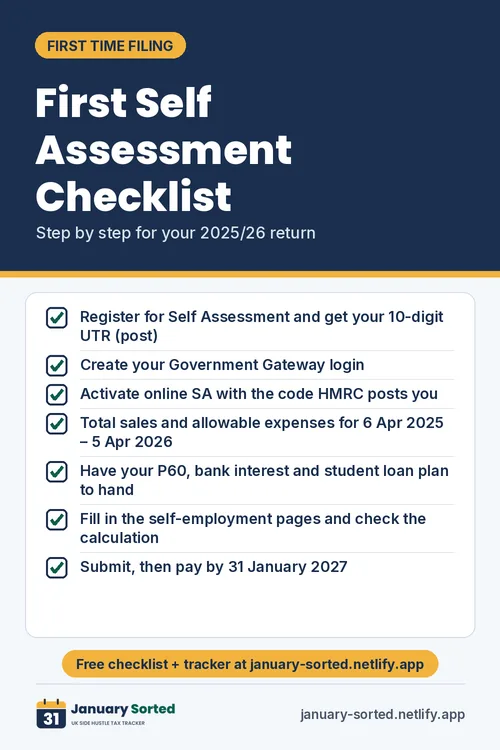
Our quick-read tip cards – save them to Pinterest or share with a friend.